



Enchantments and Spells
The Enchantments and Spells page brings together two important character systems: Enchantments and Spells.
Although they are in the same menu, each works in a different way.
Enchantments
The Enchantments section displays all the enchantments your character has learned.
When you select an enchantment, it can be used in two ways, depending on the type:
Enchantments on Items
Some enchantments can be applied directly to equipment.
To do this, place the item you wish to enchant in the correct inventory slot and select the learned enchantment from the list.
If the character has the required level, sufficient mana, and the item allows that enchantment, the effect will be applied.
Runes
Some enchantments create or charge Runes.
To create a rune, you need to have a Blank Rune in your inventory.
There are small runes and larger runes. Larger runes can generate more charges, but also require more mana.
If you already have an identical rune in your hotbar, new charges can be added to it. Otherwise, a new rune will be created in your inventory.
Spells
The Spells section displays all the spells your character has learned.
Each spell appears with its name, mana cost, and current state:
ON: The spell is active in the inventory.
OFF: The spell is learned but not equipped.
To activate a spell, simply click on it in the list. The system will create the spell item in your inventory.
To deactivate a spell, click on it again. The item will be removed from the inventory, and the spell will be marked as OFF.
Important
Spells require free inventory space to be activated.
Some special spells, such as summoning a pet or mount, may already be linked to the character's active pet or mount.
If you haven't learned any spells or enchantments yet, the system will warn you that you don't know any.
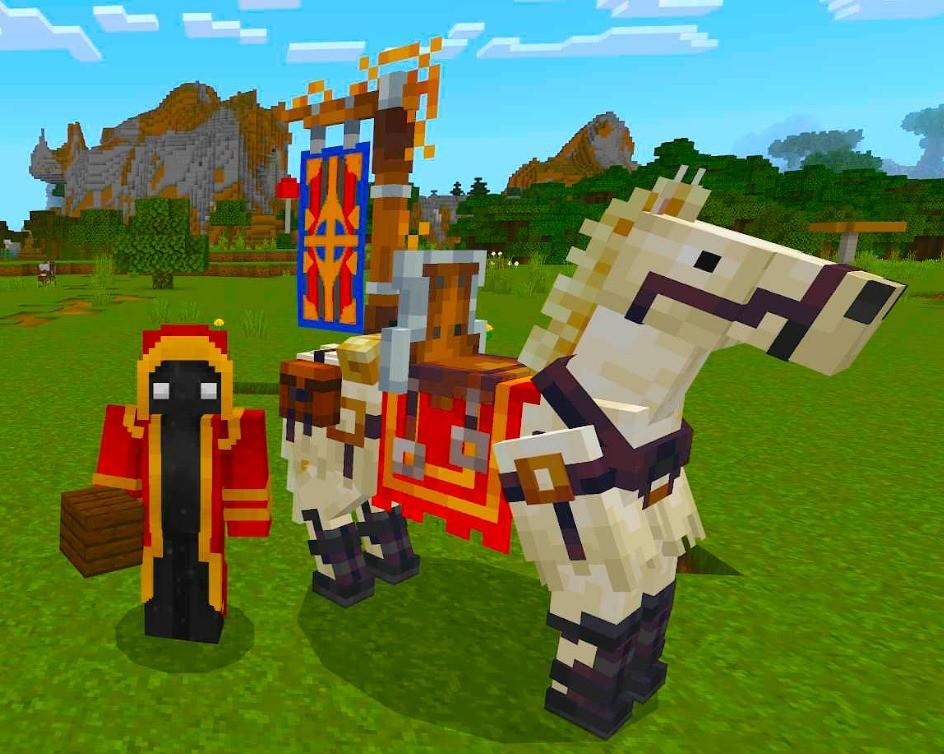
Royal Horse (July 2026)
This image is currently unavailable.
The first Royal Horse ever seem.
Sent by: Curse